Rotate a video with Avidemux GTK

A few times I recorded a video with my camera turned in portrait mode. It looks nice on the camera screen but, as soon as you watch it on the PC, you realise something went wrong… :-|

Fortunately there is software that can fix this. I tried Avidemux and was surprised at how easy it was.

Avidemux is a nice open-source video editor that runs on Windows, Mac OS X, Linux and BSD.

Here are the steps (see screenshot below):

  • Select the format of the “Video” to produce
  • Open the “Filters” window
  • Select the “Transform” category
  • Choose “Rotate” and add it
  • Pick the rotation you need, click OK and close
  • Save the file and let Avidemux do the job
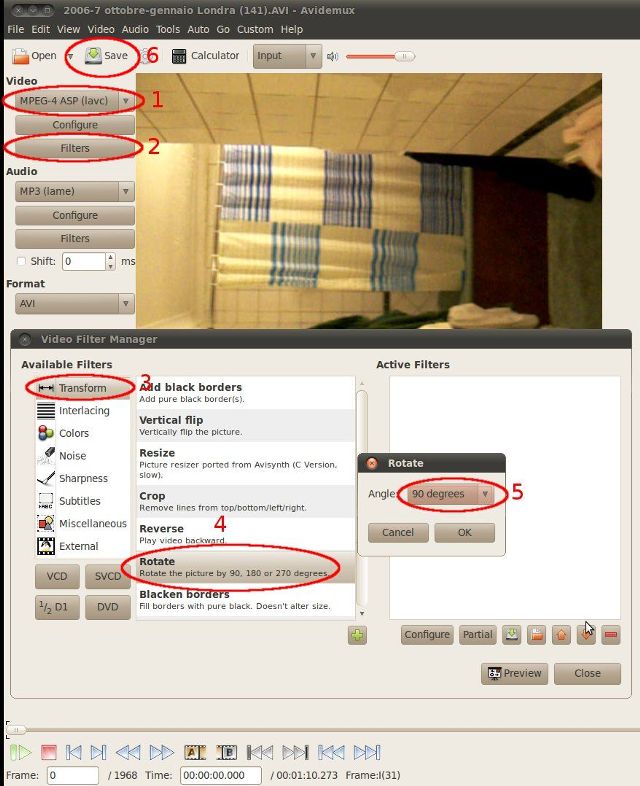
Avidemux steps to rotate a video

Enjoy!

How to install Miro 3.5 on Ubuntu 10.04

Miro 3.5 has been released. The major improvement, in my opinion, is the ability to convert video and audio files for other devices — Android OS for example.

Ubuntu 10.04 is bundled with Miro 3.0. To upgrade, add the repository:

sudo add-apt-repository ppa:pcf/miro-releases
sudo apt-get update
sudo apt-get install miro

Miro 3.5 screenshot

Enjoy the file conversion! :-)

How to install the latest version of Shotwell under Ubuntu Lucid (10.04)

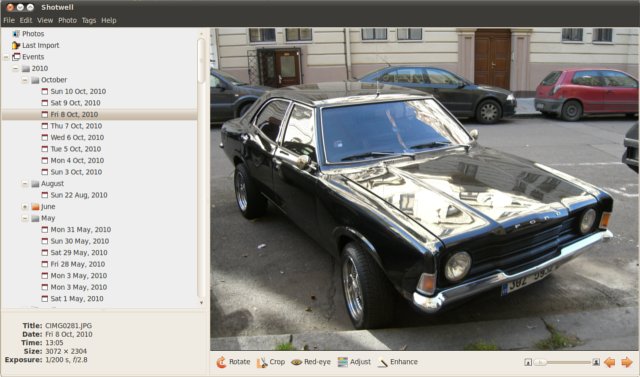
From Ubuntu 10.10 (Maverick Meerkat), Shotwell is the new default photo manager. I tried it under Ubuntu 10.04 (Lucid Lynx) but the latest version was not available in the standard repositories.

To install the latest version on Lucid, add the Shotwell PPA:

sudo add-apt-repository ppa:shotwell/ppa
sudo apt-get update
sudo apt-get install shotwell

Shotwell screenshot

Give it a try and see if it suits your needs!