I have been using AI coding assistants for a while now. They all do roughly the same thing: help you write and understand code faster. But the one I keep coming back to is OpenCode. It fits like a glove.
Built for the terminal
OpenCode follows what good CLI tools do: lightweight, minimal interface, but gives you exactly what you need to see what is going on. The output is colour-coded, well laid out, and easy to read at a glance. When it explains what it is doing, I can see the plan clearly before it executes. When it writes code, I can review the diff before applying it.
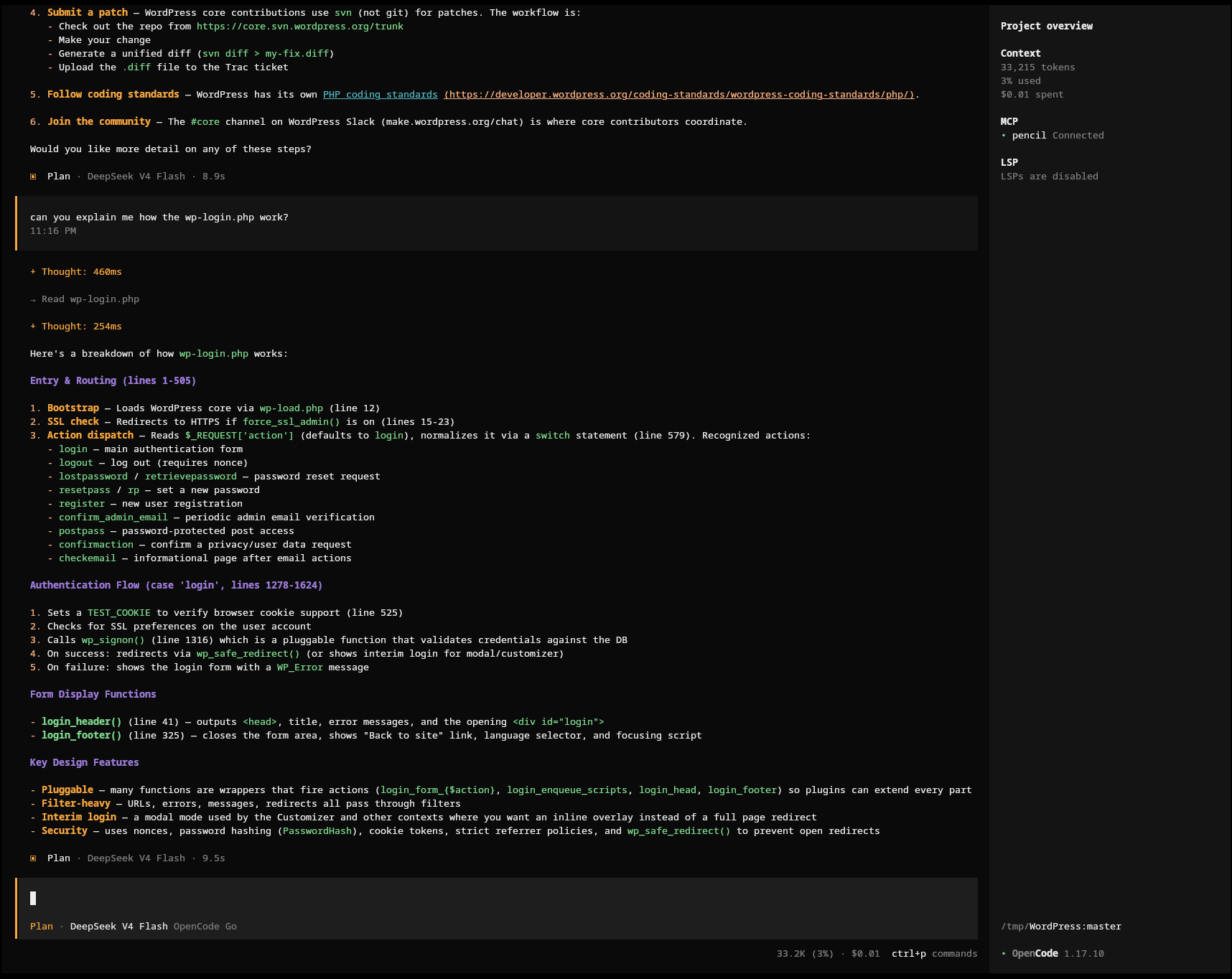
Desktop-based applications often either focus on the wrong things, or there is too much going on to keep the important functionalities in mind. OpenCode feels like a tool designed for people who live in the terminal.
Open.. everything
The OpenCode CLI is open source but also open, full stop. It does not try to lock you into anything. It tries to support as many different platforms, subscriptions etc. I want the flexibility to switch AI provider when there is a deal, a new model or to walk away from something I no longer like. Open source also means the community can contribute, audit, and improve it.
The OpenCode Go subscription
This is not needed to use OpenCode if you already have a subscription. If you don’t and/or you’ve been sitting on the fence for quite some time, maybe waiting for the perfect entry point into AI, I suggest you give it a try.
OpenCode Go costs then $10 per month ($5 for the first month). For this $10 you get $60 worth of usage. This is because usage is measured in dollar value rather than raw request counts.
The limits run in rolling windows to avoid overloading the platform. You get a 5-hour rolling limit of $12, a weekly limit of $30, and a monthly limit of $60. The actual number of requests you can make depends on which model you use — cheaper models get you many more requests, advanced ones fewer.
For example, with DeepSeek V4 Flash I get over 30,000 requests per 5-hour window. That is plenty for daily use. More advanced models like GLM cost more per request, so the same window buys fewer of them — I save those for when I need stronger reasoning.
If I need more usage, I can top up credit or let it fall back to my Zen balance. And once I hit the paid limits, the free models included with OpenCode still work.
There is also OpenCode Zen if you want the flexibility of a wider range of models and providers. But for most of what I do, Go covers it.
Models I actually use
I have settled on a few that cover most of my needs:
DeepSeek V4 Flash — my everyday driver. Fast, great value on credits, good for probably 80% of my interactions.
MiMo V2.5 — when I need vision capabilities. Looking at screenshots, debugging UI issues. Similar value to DeepSeek Flash.
GLM 5.x — for infrastructure work and complex multi-step reasoning. Excellent at planning, but I use it selectively because it consumes credits faster.
The ability to pick the right model for the task rather than being locked into one is exactly what I want. Some providers try to keep you inside their ecosystem. OpenCode lets you choose.
Actively maintained
The tool is actively developed. New models are added regularly, the CLI keeps improving, and the community around it is engaged.
Give it a try
If you live in the terminal and want an AI coding assistant that respects that, OpenCode is worth a try. It has become an indispensable part of my daily workflow.
If you want to give it a shot, you can sign up at opencode.ai (full disclosure: that is my referral link, which will give BOTH OF US $5 of extra credits).
Andrea